The Law Library

The Law Library

Saturday, 28 February 2015

Show Me

Show Me   is a free app (I'm all about the free apps) which reminds me of Explain Everything, except the best part... it's free!

It says that it works like an interactive white board and I quite like it.

Here's a short tutorial type video that I found that shows you around this app:


What I really like about this app is that while you are drawing, or typing, you have a 'record' button at the top so you can talk over it and this will then save as a presentation.

I'm not big on the drawing part, as I am mostly writing out words and my handwriting is bad enough as it is but it's a nice substitute for when you need to explain something and draw out a visual at the same time. However, you can add text to it (or have text already added on each page) before you start recording which saves time. In this way, it sort of works as screen capture software. As soon as you hit the record button, it doesn't only record what you say but it records all your actions from that point on. 

I can already see lots of ways I can use this app and I can start thinking of it as a pre-recorded online tutorial.  

I am trying it out as a peer assessment - so having a student's answer on the page and then record myself marking it and making notes and annotating as I go. Or go one better and have students submit their homework electronically and use this app to provide oral feedback and they can watch me and listen to me mark their work and make corrections etc.- which I think many students might prefer than just seeing my red pen written all over their work. 

This is me trying out Show Me with a peer assessment activity. There are some glitches, I have no idea why the second slide showed up so funny, but it still works fine after that. I couldn't have picked a more boring topic to talk about (sorry) but in case anyone was interested to see how I've used this app, here it is:


The only downside is that it takes time to plan out each and every presentation and what you want to say for each slide, which can be time consuming to do all the time.

Also -  why has no-one ever told me how deep my voice is?! Seriously, I get that podcasts and recorded lectures are great but there's nothing quite so cringe-worthy as having to listen to the sound of your own voice and realising that you hate your own voice. So sorry, listeners. 


Making a VLE 'interactive'

                                                   Promoting Discussion


I read an article that made an excellent point: Simply having a website does not automatically enhance the learning. Just like a book cannot teach a class, it is the activities and teaching strategies used with that class helps students engage with the material. Just by creating a website and handing it over to your students does not make the lessons being taught anymore effective (Singh, 2011*).

One of the ways around this is to encourage discussion. I have tried various ways to encourage discussion on my VLE.

On GoogleSites, there are comment boxes on the bottom of every page - but only if you're part of the admin. If you're a visitor to the site you cannot comment. This is a shame as it would have been ideal but I have been trying out other ways to allow students to take part in a discussion:

1. Google Groups
This works like a forum. The admin (or page creator) makes a posts and others can login in to respond. It's a nice tool as discussions can be organised into folders and there is no word limit for replies. Also, it's easy to see who has posted as their name will come up (unlike TodaysMeet where people can post something daft and you have no way of knowing who did).

I've used it a few times throughout my VLE, the only issue with it is that you cannot embed it as that specific thread, you can only post the main menu which is a little bit annoying as I have to provide instructions of what discussion and topic to take part in.


As you can see, I've created my own private discussion group and have created topics within this group - but I can only post it showing all the topics, not the one topic. If anyone knows a way around this then I'd be grateful. 


2. Chatzy/TodaysMeet
We're all familiar with TodaysMeet - it's a great for short replies in order just to get feedback from your students so I've used this on my site.

I also came across a site called 'chatzy' - it has the same function and purpose as TodaysMeet, except it does not look great, it has a very 'Windows 98' look about it.

It reminds me of old MSN, but I think that's why I like it (ah, nostalgia). You can have longer discussions and is more of a chat room. I think this is a nice alternative to Google Groups as it's much more informal so is useful for when you need somewhere on your VLE to just have a 'chat'. For example, if you post a homework assignment, it could be useful to set up a Chatzy page next to the assignment that way if people are having trouble/difficulty they can just ask you or discuss it with others in the class. That way, as the teacher, I can log in to see what everyone has been having trouble with and hopefully provide some answers.

This is really handy for me in my placement as students don't have a VLE or student email and don't have anyway of communicating with their teachers (other than finding them on facebook or going into school).

Virtual chat rooms on Chatzy are free and can be as private as you want - so you can invite students by private emails for max security. As admin, you also have the power to clear a room, delete a chat etc.


*Article reference: 'Virtual Learning Environment: An Overview' by Sandhya Singh, technoLEARN (2011) Vol 1 No.1 pgs 87 -94

Tuesday, 24 February 2015

Adding borders to your GoogleSites...

Thought I'd post this on the off chance that someone else is also using  GoogleSites and has been, like me, wanting to add borders/boxes to your content area.


In case you don't know what I'm talking about:

I was having the following problem (don't know if you can call it a problem, as much as me being overly and unnecessarily fussy to the point of absurdity?)

Anyway, when editing a page, I could see the borders (pointed out by my badly drawn arrows), the different boxes were separated when editing. 


HOWEVER, when I saved, this is the result I had:


As you can see, no border. 

This image isn't from my own VLE and the problem was much worse on mine because of my colour scheme, you couldn't tell where one box started and the other ended and then they just looked like they were floating there.

What I wanted was this:


But obviously, not so crudely drawn that it looks like a 5 year old has had a go.


Well I found out how to do it, it just requires a little bit of coding...


For a link to this step-by-step guide click here

And ta -da, I have borders around my boxes!!


I realise most people won't care about any of this and it's only something small. But now I've said it I bet you'll go and reassess your border-less VLE.

Monday, 23 February 2015

ThingLink


Ok I've tried out ThingLink and I did it quite quickly on juries ... but can't really see there being much more to it than this:


You upload an image and can add 'tags' to the image, which link to another website. I think the idea is that you have lots of useful websites all together on one page and one thing leads to another. 

You can add lots of different tags, I've just added a YouTube video and newspaper articles mostly, but you can add SoundCloud links and other photos etc. It could be a nice way to put lots of useful links all together on one page.

There is a ThingLink blog here that provides lots of examples of this tool being used (all of which are infinitely better than mine) 

I really like the Grammy one:


Useful website

Found this website and thought it might be useful and was worth sharing:

The website can be found here, it is entitled:

"Presentation Tools for your Classroom"


The author has presented  a range of applications and software that can be used in the classroom. She discusses lots that I hadn't heard of before. (Although I know Mandy has shown us loads already it can't hurt to see what else is out there). 

I like the idea of 'ThingLink' so will try it out and get back to you...

Importance of audio on my VLE


Physical appearance, tone of voice, inflection, humour, pauses in speech, volume - these are just some of the wealth of attributes that all have an impact on how your students see you, how they interact with you and most importantly, how they learn from you. When you take away the physical presence of the teacher (and therefore, all their valuable attributes), how effective is the teaching that's left? Does it not suffer?


My thoughts:

The VLE does not replace the teacher, it cannot just be somewhere you upload files/documents and it cannot teach your students for you. The role of the teacher is not diminished, it is perhaps even more crucial to establish the role of the teacher when using a VLE because of the fact that you are not physically there when your students are.

Therefore, I think it is vital to inject as much of your personality into your VLE as possible - and one way to do this, is be 'there' as far as technology will let you. To achieve this, I have been using audio on my VLE.


I know from personal experience that when I have missed a lesson and accessed the PowerPoint hand-out, simply reading the PowerPoint does not teach me anything. It does not help me catch up on a lesson and just reading through notes is not enough - I, and many others, benefit from hearing the speaker/deliverer of the lecture themselves. So I have added audio to my PowerPoint presentations when I can and I have embedded Podcasts where possible.

I found this useful website that discusses the use and importance of audio in learning, it also gives some advice on how to use audio.

Sunday, 22 February 2015

Trying out a podcast

I'm currently researching for my e-learning essay and have found an incredible amount of academic articles on the subject.

I found one article which had conducted a study on something I had not thought about previously: the posting and non-posting behaviour online, sometimes referred to as 'lurking'.

I was going to write a short post about this but then this is an e-learning after all, so I've made a short podcast* instead discussing the article, that you can listen to here:


In anyone wants to read the article then here's the reference: 'What do the numbers say? The influence of motivation and peer feedback on students’ behaviour in online discussion' by Kui Xie,  British Journal of Educational Technology 2013) Vol 44 No 2  Pages 288–301

*I've made my Podcast using AudioBoom, which is a free app.

Thursday, 12 February 2015

GoogleSites

First issue with GoogleSites. You cannot make sub-folders.


KOS|BOH confirmed it.


Wednesday, 11 February 2015

The dilemma of choosing a VLE...

As part of our e-learning assignment our task is to create a VLE (a virtual learning environment - click here for a description of a VLE and why it is becoming crucial to education).

I already have a number of ideas of what I want to include, how I want it to look, ways to make it interactive but before I could get to any of that, I had to choose my VLE. Which was not easy.

In one of our earlier e-learning sessions, we each had to research a VLE and present our findings back to our group. This was very useful as it majorly cut down my sampling time and I could tell that just by looking at some potential VLEs that they were not for me (particularly wiki dot)

The ones we looked at included:
- Wiki Spaces
- PB Works
- WordPress
- Google Sites


Unfortunately, I felt I had to sign up to all  sites and actually start uploading things to see whether I liked the website. For me, this is the only way I can really tell whether a website will be for me. This took a lot of time and I came to quickly realise that I hated some.


My quest for a VLE boiled down to finding a website that did what I wanted so I made a list of things I am looking for in a VLE. I came up with the following:

- ORGANISATION


That's really all I wanted. Just somewhere I can upload files but in an organised way, I just wanted somewhere that I could create folders and put files in with headings and sub-headings and so forth.

(Little known fact about me, I like to be organised.)

Like I said, I have a lot of ideas of WHAT I want on my VLE and I just needed something that let me upload my material HOW I wanted.

So after a LOT of time testing each site, I settled on Google Sites. And for now*, I'm happy.


*Check back here in two weeks time where I will undoubtedly write a post about Google Sites making me want to put my fist through the screen. 

Monday, 19 January 2015

Quizlet


Quizlet is quite useful as there's already lots of quizzes available for Law, so I just choose the one that suits me best and I can share it/embed it as you can see above.

You can embed it in the format you want (i.e. test,flashcards, pair matching etc) but unfortunately when you share it as a link, you can't select the format in which you want it to appear in, which is a bit of a shame because I've made one that is best suited for the 'test' format and won't work as well in the other types.

Sunday, 7 December 2014

Review of 'Delicious'


You know that 'Favourites' tab or that Star at the side of your page that you click when you want to save a webpage? Well Delicious is basically just that. It is somewhere you can store all your favourite links.

Except, unlike your favourites page on your computer, you set up your own account and you can sign in and access delicious from any computer or device. This means that your favourite useful link isn't left on your computer at home where you desperately need to access it at work but cannot remember the name of the webpage - Delicious is a useful means around that dilemma.

My first thoughts:
I could see the advantages, but as a person who never 'favourited' many pages I didn't think I would have much use for it.

However, since I have started teaching and have endeavored to gather a range of resources I have found a huge number of useful websites that I have stored on Delicious. Overall, it has been very, very handy.

How technology has changed the way we learn...


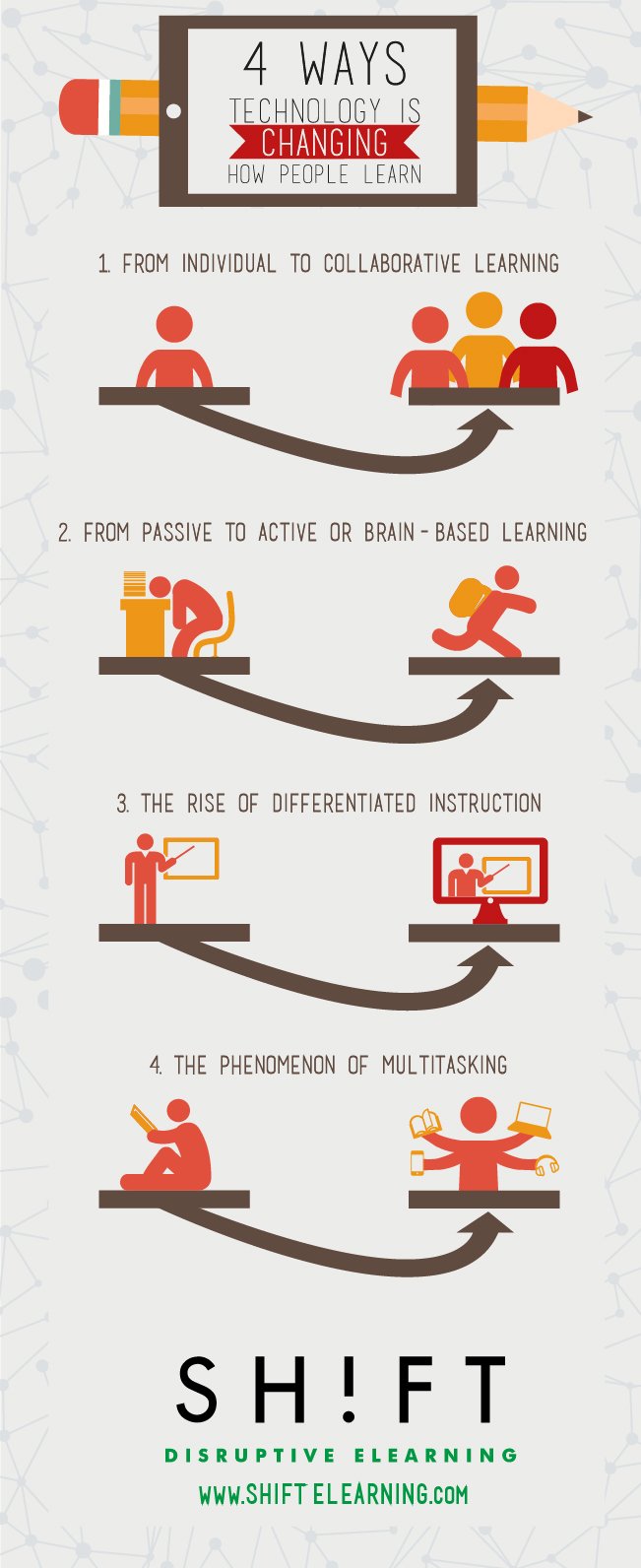
There is no denying it - technology has changed the way in which we learn. There is a plethora of ways in which technology has altered learning but for the purpose of my short post, I have only selected one way in which technology has changed the way in which we learn:

The Interactive White Board
From the chalk board to the white board to the Interactive White Board.

I'm not very old but I was taught via a chalkboard in Primary school. Granted my teacher was the 'old school' type, but my point is that the chalkboard is not too distant a memory for me. The development of the IWB, I think, is massive in the way teachers now deliver lessons and the way in which students learn. Higgins agrees that, "the use of the IWB may be the most significant change in the classroom learning environment in the past decade."

Gone are the days where the teacher would stand in front of the class and write out all the necessary points in neat, clear handwriting (unless you're in my position and your placement doesn't have an IWB)


As Hillier (p 150) points out the development of IWBs is another potential method to engage learners. She explains benefits of motivating students by being able to involve students with an activity using the IWB (such as physically moving text), other interactive quizzes, having students label an image (see picture above). She also states that it helps to provide spontaneity. Further, you can use sounds, images and videos to reinforce your point. Brazburg also states that it encourages critical thinking, for example, the class can brainstorm together.

There is fantastic potential in this technology - provided that it is used to its potential. If it is just used merely as a projection screen then it needn't be 'interactive' and then you risk falling into the trap of death by another boring presentation. However, in the instances when it is used fully then it can produce valuable learning and teaching.

For more information on the IWB, I have found a useful link that explains the benefits and limitations here


Saturday, 6 December 2014

Barriers to effective use of technology

Ertmer, 1999, organised the barriers into two categories: external (hardware, access, the technology itself) and internal (teacher's confidence and own beliefs of technology). With the advancement in technology it is fair to say that the majority of external problems are reduced. That's not to say that everything works all of the time, of course things go wrong, but it is true that technology is better than ever and more accessible than ever. What has remained, however, are the internal barriers to learning.


*Taken from Hew and Brush, 2007.


One key internal barrier identified by Hammonds, Matherosn, Wilson and Wright, p.36m is:

 "Often teachers perceive they cannot act as authority figures in their classrooms if they bring in tech tools. Teachers must be at least minimally comfortable with technology use and see the value that these tools can bring to their daily lives before they can consider technology integration as anything more than one more thing required of them."

This is important, as the key barrier to the use of technology identified is the teacher and not the limitations of the technology itself.

In her research, Ertmer identified one teacher who stated that many teachers are intimidated by technology. It is the lack of skill and knowledge of ICT that appears to be holding back many educators from developing their use of ICT in the classroom.

However, the strongest barrier is the teacher's own beliefs and attitudes towards technology - if they feel that it is not useful then quite simply, it will not be useful. Some teachers even reported the use of computers as means just to keep the children busy.

In order to overcome this barrier, teachers will have to be shown that the use of technology will provide meaningful outcomes to the learning. For many teachers, it is likely that the use of ICT will be limited until they can see that it has an impact on the learning that takes place as opposed to merely using ICT because it is another box to tick to state that you have done it.

Despite these barriers, it is important to remember that 'these tech tools are just that - tools' (Hammonds, Matherosn, Wilson and Wright, p.40). This is a reassuring reminder, especially for myself, when I am beginning to fill out a lesson plan and come to the part with ICT and worry that I am missing it out. Of course I use ICT in the classroom - the register is online and my PowerPoint is on, but I rarely have lessons where the students use it. I am probably one of the teachers whose own beliefs, experiences and attitudes impact on the use of ICT with students and until I evidence that the use of ICT benefits my students learning Law, then I will likely continue to limit the amount I use it.

A teaching idea: 'Market Place'

My mentor shared with me what I thought was a brilliant teaching method called 'Market Place'.

My lesson: 

I had to teach the advantages and disadvantages of trial by jury. I had gathered a range of resources that I wanted to share with the students (e.g. cases, statistics, research, newspaper articles etc) that they would have to understand and incorporate into their answers when evaluating the jury.

My mentor suggested that I use 'market place' to deliver the lesson. Basically, I set the classroom up like a market, on each table (or 'stall') would be a different resource. My students (the customers at the market) would go and visit each table and write down the significance of it i.e. whether it was an advantage or disadvantage and why. They had 30 minutes to do this and then 30 minutes we would feedback and I would draw a table on the board putting each resource in a certain category with a title.

How it worked in the classroom:
Despite me telling the students that they could get up and walk around, no one did, they all sat in their seats and read the resource in front of them which was disappointing.
However, I had students, mostly boys, who usually answer very few of my questions but are very interested in their own conversations, discussing in depth the resources. I was so pleased that I had actually managed to engage these learners that I let the activity run on. We had to finish the topic the next day but I felt it was worth it just to have them discussing cases and the law.

This is also a very easy lesson to deliver because as the teacher I did absolutely nothing - they did all the work.

The Drawback:
When I asked my students whether they had enjoyed the lesson and would like to do more, similar activities in the future the answer was very underwhelming.

Although I thought the lesson was fantastic and my mentor agreed (she was also very happy to see engaged learners) the students reported that they prefer just me talking. I was gobsmacked. And there was me thinking that I was boring the life out of them.

However, this has not put me off from putting on more lessons like this. Although the students were not so keen, the fact that I had them all discussing what I wanted them to talk about means that I achieved what I wanted to achieve in that lesson - whether they realise it or not.

How I have been using ICT...

I honestly do not know how teachers managed to teach without ICT.

I don't mean to sound like an ignorant child who can't possibly comprehend a world without technology but seriously, I use it for absolutely everything.

One thing I have quickly learnt from teaching is that teachers steal everything off the internet. I mean absolutely loads, it's just copied, pasted, print, photocopy and there's a lovely little resource for the students.


Aside from the flagrant theft of other's work and falsely leading my students to believe that I have prepared detailed handouts for them, the internet is an ever so handy tool. I know I'm stating the obvious but the amount of resources that I use from the internet - I do not know how I would have coped teaching without it.

Also, my students like having 'booklets' - a resource that I make (I do actually make and not steal, although if a good enough one existed on the internet I would most definitely have it) that contains everything they need on the topic. So it has all the relevant cases, legislation, essay questions, discussion points etc. I would never be able to produce these if I didn't have a computer.

All the class registers are through an online system. ICT is everywhere. And I honestly would not be able to be teaching as effectively without it.

However, I am starting to withdraw from PowerPoint as a crutch. Initially, I needed it - it was my safety device, my school doesn't have touch screen whiteboards, so I had to sit behind the desk to go to the next slide - this made me feel secure. I have recently removed myself from behind my desk and have started to find my feet walking around the classroom and have delivered lessons with nothing other than me and my voice (and a few handouts stolen from the internet, naturally).


Inspirational Video

This is a video of Tim Minchin, a comedian who gave a speech at a graduation of an Australian University. I remember watching this video months ago and I always go back to re-watch it and remind myself of it. I think it's full of wonderful advice for everyone.

I appreciate it is a long video (well it's only 10 minutes but our attention spans have become so limited that 10 minutes is considered 'long'!) but if you can watch it all the way through then do so.

He gives all sorts of advice but he does specifically mention teaching at 7.58 and I just love what he says -  please be a teacher.

"Even if you are not a teacher, be a teacher. Share your ideas, don't take for granted your education, rejoice in what you learn and spray it."


Mobile Technology in the Classroom


This has always been my experience with mobile technology in the classroom. It has always been a 'no phone allowed' policy - after all, if you're looking at your phone you're not paying attention to the teacher.

I haven't ever used mobile technology in the classroom but have, however, used it outside of the classroom to enhance the learning experience.

I had a previous lecturer who had Twitter and encouraged us to follow him. Although he was using Twitter in a personal capacity, he would retweet and post links to relevant legal news and developments. If he found an interesting article that related to a lecture he would state that it was for his class to read. He even began to use Audio files to record mini-lectures so that we would be informed on the class before arriving.

He was young for a lecturer (under 30!) and maybe this had something to do with it, but he was the only one ever to use mobile technology in this way and I really benefited from it.

Using mobile technology in the classroom is clearly a developing area, the investments in iPads made by schools are unbelievable. However, as a person who has only been teaching for a couple of weeks, I already feel the frustration and annoyance at seeing a student looking at their phone and start texting while I am speaking. I find it infuriating, rude and disrespectful.  So, now, being the other side of the classroom I can completely understand the need for a no-phone policy and I am struggling to think of a situation where I would ever permit a class of 16 year olds to get out their phones to improve their learning - because as far as I can see at the moment, it's just another means to distract them from their boring class.


Saturday, 8 November 2014

First week of placement...

Well first of all I'm really happy to say that my placement is going very well. I have lots to think about, have already delivered a lesson and have a load more to plan - all makes for a very busy and content Sophie!

I think I will be taking over all first year AS Law classes and will be doing some of the A Level classes... one minor issue is that the Law they're studying is all new to me. I've spent the entire evening reading my old textbook on defamation. It was all going so well until I decided to Google it to see what other resources I could come up with... and then I found out that there is a new Defamation Act that came out in 2013 and all the Law I had been teaching myself was effectively out of date. Worst thing is, I don't think the Law teacher on my placement knows about the new Law either. So this should make teaching extra fun this term!

I'm also doing tutorials for 2 students who have only swapped over to the Law course this week and so are 2 months behind on work. I'm really looking forward to these as they're so relaxed and informal - and I can get to know them a bit better too. I suppose we're both helping each other feel more comfortable in the class as we're both new.


I will also be teaching some of the AS and A Level Politics classes - again feel a bit outside my comfort zone but I keep forgetting how simplified their course is compared to a degree.


I'm teaching Welsh Bac to Year 10s and Year 11s. To say that they are a tough class is an understatement. All I'm going to say is pray for me. I need it. I was NOT mentally prepared for teaching under 16s. Think I am going to have to do some serious reading on behaviour management and will most definitely be sitting on my hands to prevent throttling. Not that I condone violence against children, you'd just really have to see this class to understand...

I'm currently working on perfecting this face:


Encouraging Students to Read

A few thoughts from observing one of my mentor's classes this week. 

It was a class/'course' that she had been asked to create for the 'More Able and Talented' (MAT) students. As it isn't an official class, she has been given the opportunity to do whatever she wants/thinks is important.

The main focus of the class is to start thinking about University - the grades to get in, personal statements, extra curricular activities, types of degrees etc. But she also wants to reinforce the idea that as a student, you have to be more than just your grades, you must start to try to develop your person, you must develop other skills and opinions and views - it's pretty much getting them to think about being a more well rounded individual. In the lesson I observed today she was discussing Literature and the importance of reading.

They were given an activity in which the had a list of book titles and they had to pick out the author and match them up. Honestly, I felt quite sad at how little they knew. Some books they had never heard of, let alone had a desire to read them.

The teacher then talked about a new trend/nomination on Facebook, in which you are selected to list your top 10 books that have stayed with you/influenced you.

The students were asked to write down their 10 and they couldn't. When they were asked to do it in a group, they were better - except one group included in their list of Top Ten Most Influential Books, "The Hungry Caterpillar" and "50 Shades of Grey". On the same list. Yep. That is what I am faced with. Even more shockingly, some of these were doing A Level English. Literature students who don't read - seems almost an oxymoron.

Don't get me wrong - there were some students in the class who read an awful lot and gave some excellent answers. But the overwhelming majority did not consider reading enjoyable and I felt the same stigma that I felt when I was at school - it still is not cool to be a book worm. And I think that that is a very sad thing and I don't know how teachers can get around it. I had the MAT class sat before me - students who were performing top of their year and yet they find reading books a chore or a geeky thing to do. Can't help but feel that the education system has got it wrong somewhere as it is producing students who can achieve the top grades but yet have never heard of  the likes of Sylvia Plath, Mark Twain or JD Salinger.

Anyway, I wanted to leave on a positive note: At the end of the class one girl stayed behind and asked us what we would recommend reading and if we had any of those books that she could borrow, she decided to borrow the book, 'Lolita' from my mentor. I guess if her class had an impact on at least 1 student to encourage them to go out and read then it was a success.


And in the interest of encouraging others to read, I have put down my top 10 books that have always stayed with me:

1) To Kill a Mockingbird - Harper Lee - My absolute favourite. There's a life lesson on every page. Just a beautiful book, I cannot recommend it enough

2) Great Expectations -   Charles Dickens - I studied this for my AS Level English and I just love it, it led me on to reading all the other Dickens novels

3) Catcher in the Rye - JD Salinger - I was told that I should have read this when I was younger (ideal for an angsty teen apparently) but I still enjoy it now, amazing the power such a short book can have on you

4) Harry Potter and the Deathly Hallows - JK Rowling -  I don't care what anyone says, I love the Harry Potter books and I think they're brilliant. Loved the last one especially as it just tied up everything. One of those great, enjoyable reads for me. 

5) Of Mice and Men - John Steinbeck - Studied this for my English GCSE. Some people think that studying something in so much detail can detract from the overall enjoyment of reading the text as a whole and not picking it apart - but for me, I feel I understand a book on a much deeper level whenever I've studied it in detail, the same can be said for this book. 

6) The Great Gatsby - F Scott Fitzgerald -  Again, is amazing how such a short book can have such a great impact. A brilliant book, one I wish I could have studied and dissected. It's regarded as the greatest American novel.

7) The Time Traveller's Wife Audrey Niffenger - Ok so not one the great classic pieces of literature I know, but I enjoy it and love to revisit it. It's also a lot better than the film. 

8) The Remains of the Day - Kazuo Ishiguro - Another book that I studied for my English A Level, very different from what I normally like but when you study something in so much detail you can't help but find enjoyment in it

9 Treasure Island - Robert Louis Stevenson - Not ashamed to say that I only picked up this book because I love the film Muppet's Treasure Island. Kermit and Gonzo do not make an appearance in the book (sadly) but it's still a fantastic story

10 The Help - Kathryn Stockett - A book set in the 50s/60s about black house maids working for rich white women, there is a film based on the book too, but the book is much better


The value of mobile technology in learning and teaching

The mobile phone is, 'a force to be reckoned with' (Reece & Walker, p156). Nearly every child in the classroom has a smart phone in their pocket. Mobile technology (which includes mobile phones, tablets and iPads etc.) has become so ubiquitous in our society that children have become accustomed to using it so effortlessly that they are completely (and blissfully) ignorant to a life without such technology. I even know of a five year old who had an iPad for Christmas because his mother felt pressure to buy one after learning how heavily they are used in the classroom and because 'all the other children have them'.


Research (Folger, Burke, Waker, Hansen, Randall and Mia Kim - yes, a lot of researchers!) have found close to 300% increase in the use of mobile technology in school children. Project Tomorrow, 2012 found that institutions/schools are specifically looking to recruit staff who can use mobile technology in the classroom and there has been a significant increase in the number of schools investing in iPads.


Considering the heavy reliance and love of such mobile technology, it would seem only logical that teachers beyond Primary school begin to incorporate more mobile technology to further advance the learning achieved. However, there is a danger. We need to ask is this necessary? Does it and can it actually improve teaching and learning? Before using mobile technology in the classroom, Petty (p391) advises us that we ask ourselves whether the use of an iPad will help the teacher deliver the lesson? Will it help you teach what you want the students to learn? It should be clear that mobile technology should not be incorporated simply because it is the current trend.

However, there is an argument to suggest that the use of mobile technology actually reinforces the learning. Gardener's learning cycle involves the learner receiving feedback. Sheng (and others) argue that this speeds up the learning cycle as mobile technology provides instant feedback. Although, there are no figures to verify this theory and I would say that if it is still the teacher who is providing feedback, be it through traditional paper or online via mobile devices, then the feedback is only ever as quick or 'instant' as the teacher is at providing it.

Conversely, Dr. Elliot Solloway puts forth an argument in favour of the developing use of mobile technology (in fact, there are lots of useful videos of him on YouTube):


I think he makes an excellent point - we have  come to depend on our mobile devices everywhere else except in schools. Although, from watching another one of his videos, I am very apprehensive about the way in which he suggests schools should do this. He discusses the Carpe Diem School in Arizona and this is one of their classrooms:


Many would be opposed to this dramatic change in the classroom and a great deal of schools would resist such a change - and perhaps, rightly so. Our education system appears to be working so why would we change it so dramatically? 

I think I would be one of those people to resist this change purely because of my subject. The love and enjoyment I have for Law is borne mostly from watching incredibly articulate and persuasive lawyers, how they construct an argument, their ability to weave their way through a complex debate - being able to posses the most impressive public speaking skills you could ever imagine and just having such a fantastic command of the English language - I think that this would all be lost on a computer. Lawyers do not absolutely need a computer/mobile technology to do their job (of course they use them, but it's not essential) and so I am failing to see how anyone could make it essential in teaching Law.

I think that the value of mobile technology will lie in using it as an external tool outside of the classroom by using it as a means for communication with students and for homework/extra activities. The main advantage of mobile technology is that it is available for, 'anyone, anywhere, anytime and at an affordable cost' (Keengwe and Bhargara, p739). Our responsibility as teachers, though, is ensuring that we are using it correctly and where necessary and not simply for the sake of it.